
Adding a mobile number to your vehicle registration details in Nigeria is a practical step that enhances communication with authorities and helps ensure you receive important updates about your vehicle promptly. In today’s increasingly digital environment, handling such updates online (where available) saves significant time and reduces the need for physical visits to offices.
The key advantage of linking or updating your mobile number with your vehicle registration is staying informed about official notifications. These may include reminders for vehicle licence renewal, roadworthiness checks, tax or levy alerts from state authorities, recall notices from manufacturers, or even enforcement-related messages from bodies like the Federal Road Safety Corps (FRSC). Timely alerts support better compliance, help avoid fines or penalties, and make it easier to respond quickly to any issues involving your vehicle.
In Nigeria, vehicle registration and related updates are primarily managed through the National Vehicle Information System (NVIS) operated by the FRSC, alongside state-level systems such as the Directorate of Road Traffic Services (DRTS) in the FCT or similar agencies in states like Lagos, Rivers, or others. While full online self-service for adding/updating a mobile number isn’t uniformly available across all states as of January 2026 (unlike some centralized systems in other countries), many processes now incorporate digital elements, especially during initial registration, renewal, or verification.
Most vehicle owners add or confirm their mobile number during the original registration process on the FRSC portal or state platforms. For existing registrations, updates often require visiting an FRSC licensing centre, a Vehicle Inspection Office (VIO), or a designated Motor Licensing Authority (MLA) office, though some states allow partial online verification or profile edits.
Understanding Vehicle Registration in Nigeria and Why Mobile Contact Matters
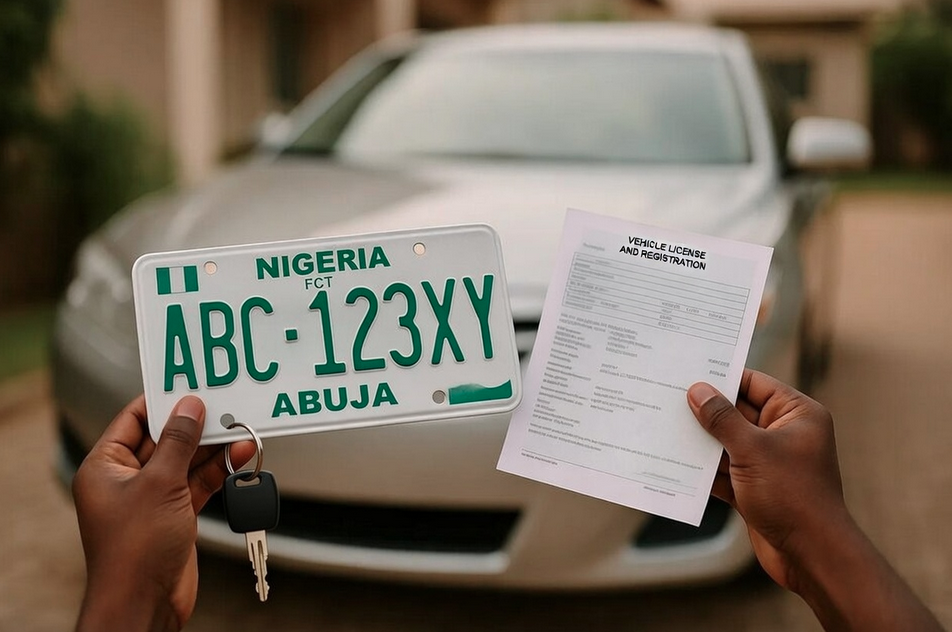
A vehicle’s registration certificate (often called the RC or proof of ownership document) is an official record issued after registration with the FRSC or state authorities. It includes details like the plate number, chassis number (VIN), engine number, owner’s name, address, and contact information. The certificate proves legal ownership, is required for insurance, roadworthiness tests, licence plate issuance, and is essential during police checks, accident reports, or vehicle sales/transfers.
Maintaining accurate and current contact details (including a mobile number) is increasingly important due to Nigeria’s push toward digital enforcement and safety. FRSC and state agencies use registered phone numbers to send SMS alerts for:
- Expiry of vehicle licence or third-party insurance
- Overdue roadworthiness certification
- Recall campaigns or safety advisories
- Traffic violation notices or impoundment alerts
An up-to-date mobile number reduces the risk of missing deadlines, which can lead to fines, vehicle impoundment, or complications during resale. It also supports faster resolution in cases of theft recovery or accident claims, as authorities can reach the owner directly.
With Nigeria’s ongoing digital transformation (including FRSC’s online portals and apps), linking a mobile number aligns with broader efforts to reduce paperwork, minimize corruption in manual processes, and improve road safety data accuracy.
Example of the FRSC National Vehicle Information System (NVIS) portal used for vehicle registration and verification.
Requirements Before Updating Your Mobile Number
Before attempting any update:
- Have your vehicle’s registration number (plate number), chassis/VIN, and engine number ready.
- Ensure you have a valid, active mobile number (preferably linked to your National Identification Number – NIN – for easier verification).
- Gather supporting documents: original RC/proof of ownership, valid ID (NIN slip, driver’s licence, international passport, or voter card), and proof of address if required.
- Access to internet and a smartphone/computer for online checks.
- Be prepared to visit a physical office if online self-update isn’t available in your state.
Note: Many states require the mobile number to match the registered owner or be verified via NIN to prevent fraud.
Step-by-Step Process to Add or Update Mobile Number
In Nigeria, the process varies by state and whether it’s during initial registration or an update. Here’s the most common approach as of 2026:
- Check Online Portals First
Visit the FRSC NVIS portal at https://nvis.frsc.gov.ng/ or your state’s transport website (e.g., DRTS in FCT at selfservice.fctevreg.com, or Lagos-specific portals).
Use the “Verify Number Plate” tool to confirm your current registration details, including any listed mobile number. - During New Registration or Renewal
When registering a new vehicle or renewing a licence:
- Go to the FRSC-approved portal or state licensing office.
- Fill in owner details, including mobile number and email.
- The system captures this for SMS alerts.
- Complete payment, biometric capture (if needed), and plate issuance.
- For Existing Vehicles (Update Process)
- Online options are limited for pure mobile updates. Most require:
Visit your local FRSC licensing centre, VIO office, or state motor licensing authority.
Submit a written application or form requesting the update.
Provide your RC, ID, and the new mobile number.
Pay any nominal administrative fee (if applicable).
The officer updates the database, and you receive confirmation (often via SMS). - In some states (e.g., during licence renewal via AutoReg or state portals), you can edit contact details while renewing.
- Use the FRSC mobile app (if available in your region) or USSD codes for verification, then follow up in person.
- Verification and Confirmation
After submission, authorities may send an OTP or confirmation SMS to the new number.
Check status via the FRSC portal or by SMS (e.g., “VerifyPlate [Your Plate Number]” to 33324 or similar short codes in some states).
Once updated, test by requesting a service that triggers SMS (e.g., renewal reminder).
FRSC verification portal interface for checking vehicle details, including contact information.
Required Documents and Information
- Vehicle RC or proof of ownership printout.
- Valid government-issued ID (NIN-linked preferred).
- Proof of address (utility bill, bank statement, or NIN).
- Application letter or form (available at offices).
- Payment receipt for any fees.
- New mobile number details.
Scan or prepare clear copies for submission.
Navigating Official Portals and Apps
Key platforms:
- FRSC NVIS: https://nvis.frsc.gov.ng/ – For verification and registration.
- VREG (National Vehicle Registry): https://vreg.gov.ng/ – VIN registration and verification.
- State portals: e.g., FCT DRTS self-service, Lagos-specific FRSC-linked systems.
- FRSC App: Download for alerts, verification, and basic services.
Always use official .gov.ng sites to avoid scams.
Troubleshooting Common Issues
- No online update option → Visit nearest FRSC/VIO office.
- OTP not received → Check network; request resend.
- Details mismatch → Bring originals for manual correction.
- Portal downtime → Try during business hours or later.
- Fraud concerns → Report to FRSC if unauthorized SMS received.
Contact FRSC helpline (122 toll-free) or state transport offices for support.
Alternative Methods
- In-person at FRSC licensing centres or VIO offices.
- During vehicle licence renewal (often includes contact update).
- Through authorized agents (e.g., AutoReg portals in some states).
Important Tips for a Smooth Process
- Use a personal, active number linked to your NIN.
- Keep records of all submissions/receipts.
- Update promptly after changing SIM or number.
- Verify changes via plate check tools.
- Avoid third-party agents charging exorbitant fees.
Legal Implications
Under FRSC and state road traffic laws, accurate registration details (including contacts) are mandatory for compliance. Failure to update can lead to missed notices, fines, or complications in enforcement/claims. Providing false information is an offence.
Frequently Asked Questions (FAQs)
Can I update my mobile number fully online in Nigeria?
Not always nationwide; many states require in-person or during renewal. Check your state’s portal or FRSC office.
Is there a fee?
Usually minimal or free for updates; confirm locally.
What if I receive unauthorized vehicle SMS?
Report to FRSC – it may indicate data misuse.
How do I verify if my number is linked?
Use FRSC plate verification tools or check during renewal.
Who should I contact for help?
FRSC helpline 122, state transport offices, or visit an FRSC centre.
UPDATES: ITA Reports: Most Used Cars in Nigeria Are Imported from the United States
Conclusion and Support
Linking a mobile number to your vehicle registration improves safety, compliance, and convenience in Nigeria’s road transport system. Start by verifying your current details on official portals, then update through FRSC-approved channels. If issues arise, FRSC offices or helplines provide assistance.
For personalized help in Rivers State or Port Harcourt, visit the local FRSC command or state transport office. Stay compliant and safe on the roads!