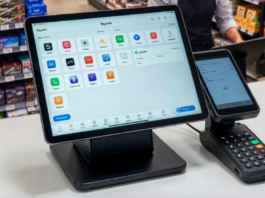
A Point-of sale (Linux POS) is the place where a transaction takes place in a retail organisation. Also, you can say it refers to the immediate capture of transactions and payment information when goods and services are purchased by a customer. As a matter of fact, this data can be obtained using several devices such as computer, cash registers, barcode scanners, PIN pads, magnetic card readers and so on.
Tags: free open source linux pos system, free pos software download, free pos software pc, cash register pos software free, best free linux pos software, pos software pc, free pos download for pc, retail pos software free download.
However, there are several reasons why a Linux POS system is indispensable for retail outlet businesses. This is to say that it helps the retail business owner to manage and automate inventory functions and record sales transactions.
Functions of Linux POS Software
Additionally, they can handle and track special offers (such as coupons, discounts and special promotions). The bottomline is that they help to improve the efficiency of employees by allowing them to spend more time interacting with customers and clients.
The free open source linux pos system also provides accurate and relevant reports, tracks volume and performance. In general, it uses customer data to help the retail company to generate more business. In summary, it allows the business owner of the establishment to maintain full control when they are not at work, and much more.
Related Articles
- Best Free & Premium Open Source POS Software
- Top Open Source POS (Point of Sale) Software
- Latest Free Retail Point of Sale (POS) Software
- 7 Top Free Grant Management Software
- 28 Church & Ministry Management Software Programs
- Top Rated Unified Security Management Software
- Software Development in the Cloud
Note that a Linux OS POS system consists of different components, including computer hardware, the Linux computer operating system, checkout hardware, and checkout software. Yes, a major part is the Free or Premium POS software.
Keep in mind that the main aim of this article is to identify Linux software that forms part of the checkout system. Conversely, with the current economic situation around in your country, open source POS software has the obvious advantage of helping a small business proprietor to lower operating costs.
Just like Windows OS, the Linux OS has a wide range of open source Point-of-Sale software which can assist both small and big retailers to make considerable cost savings. The cost savings can simply include licensing and upgrade fees.
Therefore, to provide a complete insight into the open source software available online, we have made a compilation list of 8 Top and best Point-of-Sale software. As luck will have it, there may be something of interest here for anyone who needs to track sales and inventory in their retail business. Here’s our recommendations 2026-relevant list of open-source Linux-compatible POS (Point of Sale) software, including both free community editions and options with paid/premium support or services, ideal for retailers, restaurants, and other businesses that want complete control and flexibility.
Free & Open Source Linux POS Software
These are fully open-source POS systems you can download, modify, and run on Linux (often also cross-platform). Most have active communities and no licensing fees.
1. uniCenta oPOS
- Type: Retail & Hospitality POS (Java based)
- License: Open source (GPL)
One of the most popular open-source POS systems. Designed for retail stores, cafes, supermarkets, restaurants, and multi-location businesses.
Key features:
- Barcode scanning and inventory control
- Multi-terminal and multi-store support
- Customer database and reporting
- Payment integration support
- Runs on Linux and other OS systems (Java)
Free vs Premium:
- Free: Fully open-source version available under GPL (no license cost).
- Paid / Premium support: Optional subscription/support plans with extra resources, documentation, and prioritized help are offered by the uniCenta team.
2. Floreant POS
- Type: Restaurant & Hospitality POS
- License: Open source (MRPL 1.2)
Designed for restaurants, cafés, bars, and food service businesses with table/ticket management and kitchen integration.
Key features:
- Table layout & order management
- Kitchen printer and receipt printing
- Shift billing and multi-user support
- Offline operation (no internet required)
- Cross-platform Java application
Free vs Premium:
- Free: Full source code available with no restrictions.
- Optional add-ons/plugins: Enterprise features (inventory plugin, floor plans, delivery integration, etc.) and commercial extensions may be offered by third-party providers.
3. OSPOS (Open Source Point of Sale)
- Type: Retail POS (Web-based)
- License: MIT License
A community-driven web-based POS that runs on a LAMP stack on Linux servers. Good for small and medium shops.
Key features:
- Sales & inventory tracking
- Customer & supplier management
- Multiuser roles & permissions
- Barcode generation & printing
- Reporting & sales logs
Free vs Premium:
- Free: Entire system is open source (no fees).
- Optional: Community support; commercial hosting or custom development can be purchased from vendors.
4. Chromis POS
- Type: Retail & Hospitality POS (Java, fork of uniCenta)
- License: Open source (GPL)
A free POS system derived from the uniCenta project with strong support for hardware integrations and basic retail/restaurant workflows.
Key features:
- Barcode scanners & POS printers support
- Inventory & supplier management
- Loyalty & gift card features
- Multi sale modes / multi terminals
Free vs Premium:
- Free: Entirely free and open source.
- Paid services: External support, consulting, or installation services typically offered by third-party developers.
Open Source + ERP Systems with POS Modules
These aren’t pure POS apps but include POS modules as part of broader open-source business suites that can run on Linux:
5. Odoo (Community Edition) POS
- Type: ERP with POS module
- License: Open source (LGPL)
Odoo’s community edition includes an integrated POS that works across Linux servers via browser clients. It ties deeply into inventory, accounting, and CRM functions.
Key features:
- Real-time inventory sync
- Offline mode with auto sync
- Customer loyalty & sales tracking
- Integrated ecommerce & back office
Free vs Premium:
- Free: Odoo Community Edition (including its POS) is free and open source.
- Paid: Official Odoo Enterprise subscription unlocks extra modules such as advanced features, support, mobile apps, and cloud hosting.
6. ERPNext (POS included)
- Type: Full ERP with POS module
- License: Open source (GPL)
ERPNext includes modules for sales and POS integrated with accounting and inventory. Good for businesses that want all operations in one system.
Key features:
- POS integrated with inventory & accounting
- Web-based interface
- Customer management
- Multi-store support
Free vs Premium:
- Free: Self-hosted ERPNext is free open source.
- Paid: Official hosting, support, and premium modules from Frappe offer enterprise benefits.
Summary Comparison: Open Source Linux POS
| Software | Linux Compatible | Open Source | Premium / Paid Option | Best For |
|---|---|---|---|---|
| uniCenta oPOS | ✔ | ✔ | Paid support options | Retail & hospitality stores |
| Floreant POS | ✔ | ✔ | Paid plugins & extensions | Restaurants & cafes |
| OSPOS | ✔ | ✔ | Third-party support | Small retail businesses |
| Chromis POS | ✔ | ✔ | Third-party services | Retail & hospitality |
| Odoo POS (Community) | ✔ (web) | ✔ | Enterprise subscription | Integrated ERP + POS |
| ERPNext POS | ✔ (web) | ✔ | Paid hosting/support | All-in-one business management |
Notes Before You Choose
- Open source means free core software, but premium support, hosting, and custom development often cost extra.
- Linux support usually requires installation on a Linux server, LAMP stack, container, or virtual machine.
- For broader business needs (accounting, ecommerce), ERP-integrated POS systems like Odoo or ERPNext offer more complete capabilities.
Best Free Linux POS Software Program from Previous Updates
So, let’s explore the 8 Point-of-Sale tools at hand that has been avail. For each application we have compiled its own portal page, a full description with an in-depth analysis of its features, screenshots, together with links to relevant resources.
| Point-of-Sale Software | |
|---|---|
| Openbravo POS | Web-based application for retail and hospitality businesses |
| Odoo | ERP and CRM software |
| uniCenta | Commercial-grade POS |
| Chromis POS | Feature rich commercial-grade POS |
| WallacePOS | Intuitive and modern web based POS & business management system |
| Floreant POS | Point-of-Sale targeted at restaurants |
| POSper | Designed for small businesses |
| Barcode4J | Flexible barcode generation package |
Get Full Details of these Free POS Software Here
Finally, you can return to our complete collection of recommended free and open source software including our latest additions. You can Share these information on your social media account. Open Source Linux POS “Point of Sale” Software Free Download.